
Semantic Keywords
Semantic Keywords finds the terms that are topically related to your subject: the things, concepts and phrasing a thorough article would naturally include. Covering them helps search engines understand that your page is a complete treatment of the topic, not just a page that repeats one keyword.
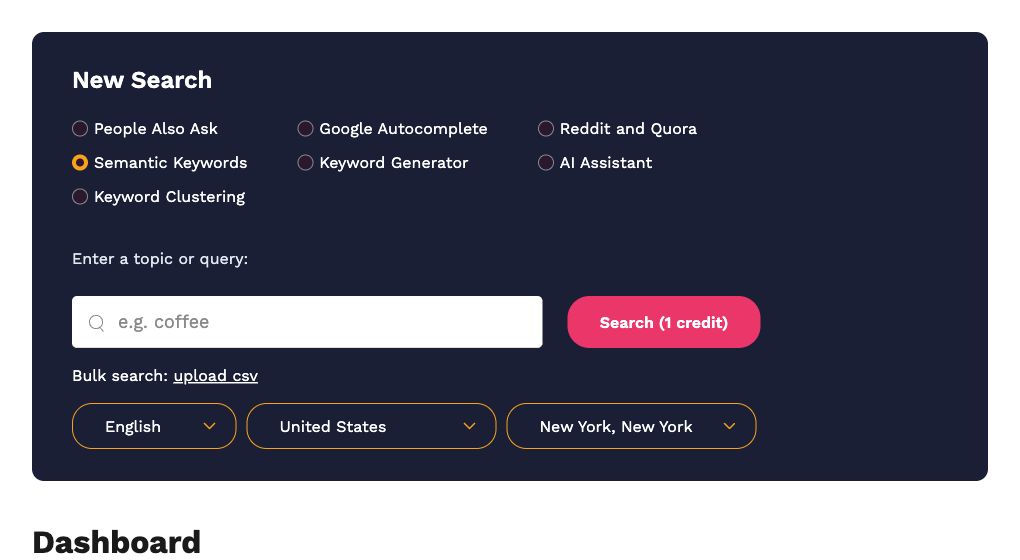
Running a search
- Select Semantic Keywords.
- Enter a topic or query.
- Choose the language and country. Semantic Keywords supports 11 languages: English, Dutch, French, German, Greek, Hindi, Italian, Portuguese, Russian, Spanish and Turkish.
- Click Search (1 credit).
Reading the result
The result opens on the Data tab, which lists the related terms grouped by the modifier they came from. The Map tab shows the same data as a radial diagram.
Keyword Groups
The Keyword Groups tab (marked with the sparkle icon) asks the AI to sort every term into themed groups, each with a name. Opening it costs 1 credit. Each group has:
- Download CSV for just that group.
- Generate Article to have the AI write a draft article covering that group. The draft is saved under Content Tools › Articles. See Articles and AI content generation.
The CSV export of the whole result has three columns: Query, Modifier and Suggestion.
What to do next
- Paste the groups into your brief so writers know which sub-topics to cover.
- Save the terms to a Keyword List.
- Run a People Also Ask search on the same topic to pair the terms with the questions people ask about them.