
People Also Ask
Most Google searches show a People also ask box with four questions. Click one and Google loads more. The People Also Ask search does that clicking for you, live, and maps the questions it finds into a tree grouped by the intent Google itself suggests.
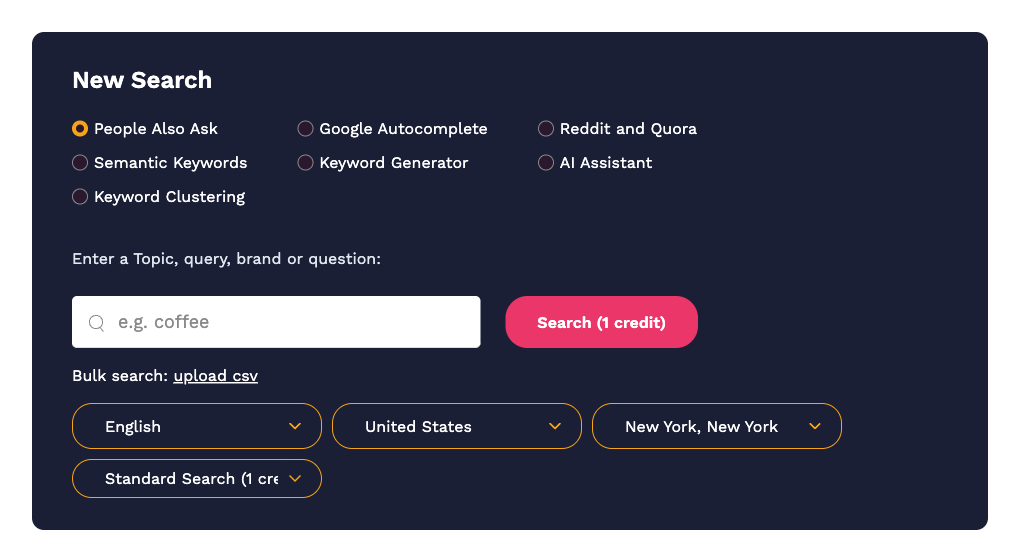
Running a search
- On the Dashboard, select People Also Ask.
- Type a topic, query, brand or question. Real phrases work best, for example
how to make cold brew coffee. - Choose the language, country and, optionally, a city. Google's questions differ by location, so pick the market you are writing for.
- Leave the last dropdown on Standard Search (1 credit), or switch to Deep Search (4 credits) for a much larger result. See Deep Search.
- Click Search.
Because we click through Google in real time, a search can take anywhere from a few seconds to a minute. The button shows "Still working on it…" while it runs. If Google returns no People Also Ask box at all for your query, you will see an empty result and the credit is refunded.
Reading the result
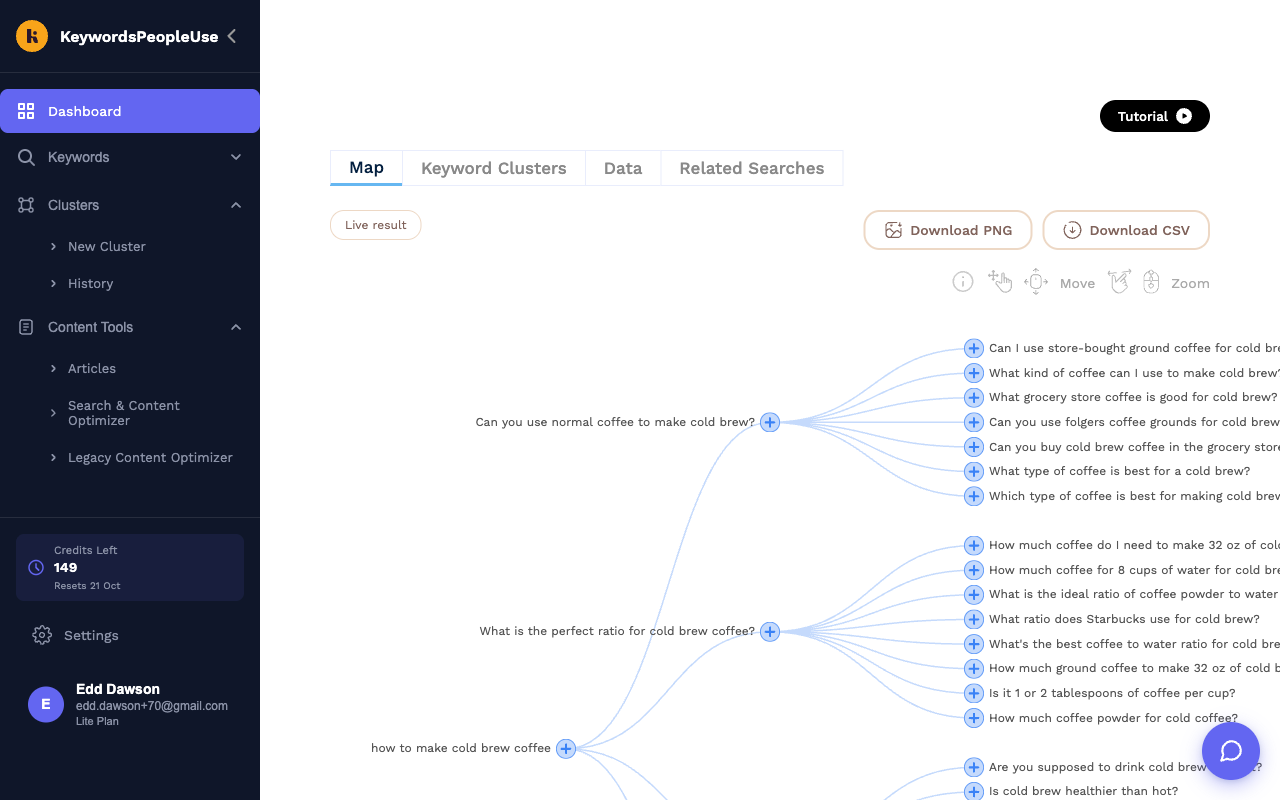
The Map tab shows your query on the left, the first-level questions Google showed next to it, and the questions that appeared when each of those was clicked on the right. Each branch is effectively one search intent, which makes the map a ready-made content outline.
- Drag to pan and scroll to zoom. Use the Move / Zoom hints at the top-right if you get lost.
- Click the + next to any question to run a brand-new search starting from that question (1 credit). This is the quickest way to go deeper on one branch.
- Download PNG and Download CSV export the whole map.
The Data tab lists the same questions as text. Turn on Show Answers to see, for every question, the answer Google displayed, the URL it linked to and that page's title. This is the content Google currently considers the best answer, which tells you exactly what you need to beat.
What is in the export
The CSV contains one row per question with these columns:
- Query – your original search.
- Question1 – the first-level question.
- Question2 – the question found by clicking Question1 (blank for first-level rows).
- Answer – the answer snippet Google showed.
- Url – the page Google took the answer from.
- Page Title – the title of that page.
Follow-up actions
From the Data tab you can Add to keyword list, Create Search Alert to be told when new questions appear for this topic, or open the Keyword Clusters tab to group everything by ranking pages. See Running your first search for a tour of those buttons.
Using it from the API
The same search is available as GET /api/alsoask with your API key. See The API.