
Search Alerts
New questions surface on Google all the time. Search Alerts re-run a search for you on a schedule and email you only when something new turns up, so you never miss a fresh question about your topic, product or brand.
Alerts are available for three search types: People Also Ask, Google Autocomplete and Keyword Discovery (the Keyword Generator).
Creating an alert from a search result
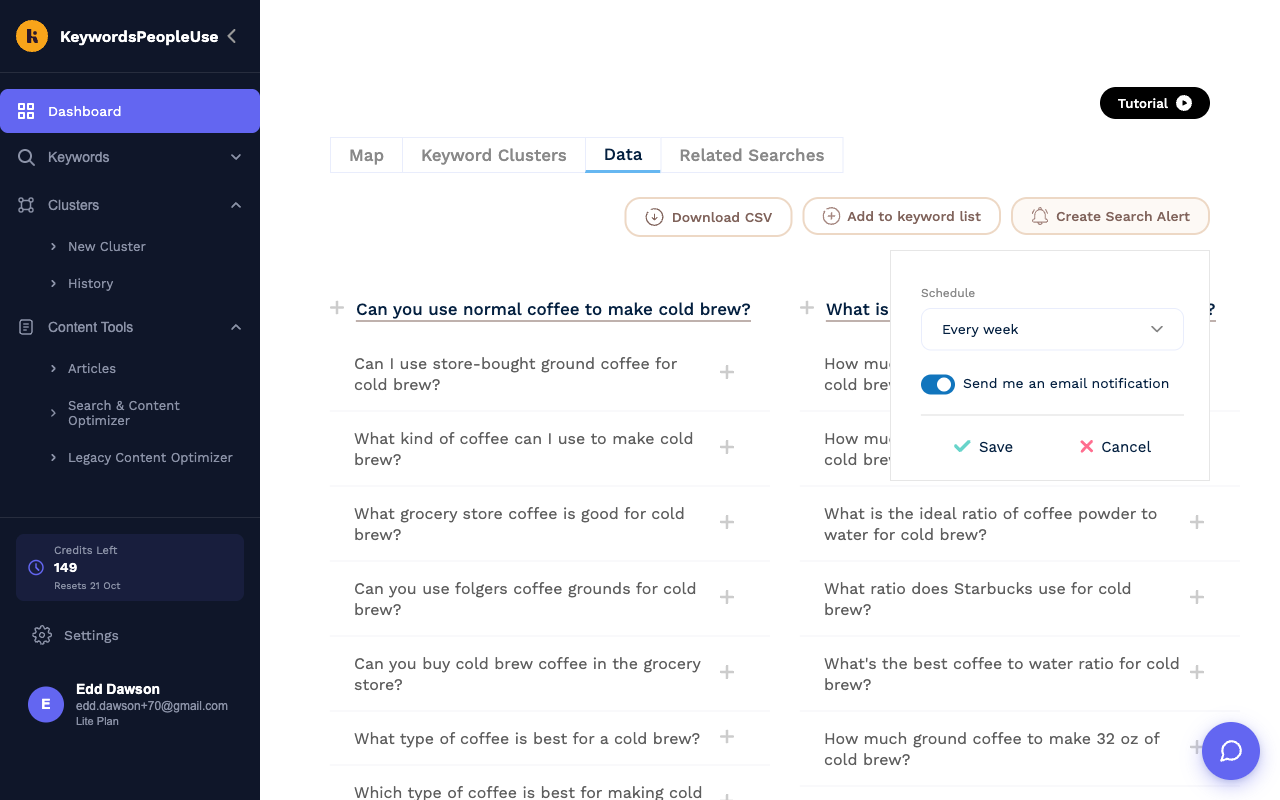
- Run the search you want to monitor.
- On the Data tab click Create Search Alert.
- Choose a Schedule: every day, every 2, 3 or 5 days, every week, every 2 weeks or every month.
- Leave Send me an email notification switched on if you want emails. Switch it off if you only want the history kept.
- Click Save. You will see "Search Alert Created".
Creating an alert from the Alerts page
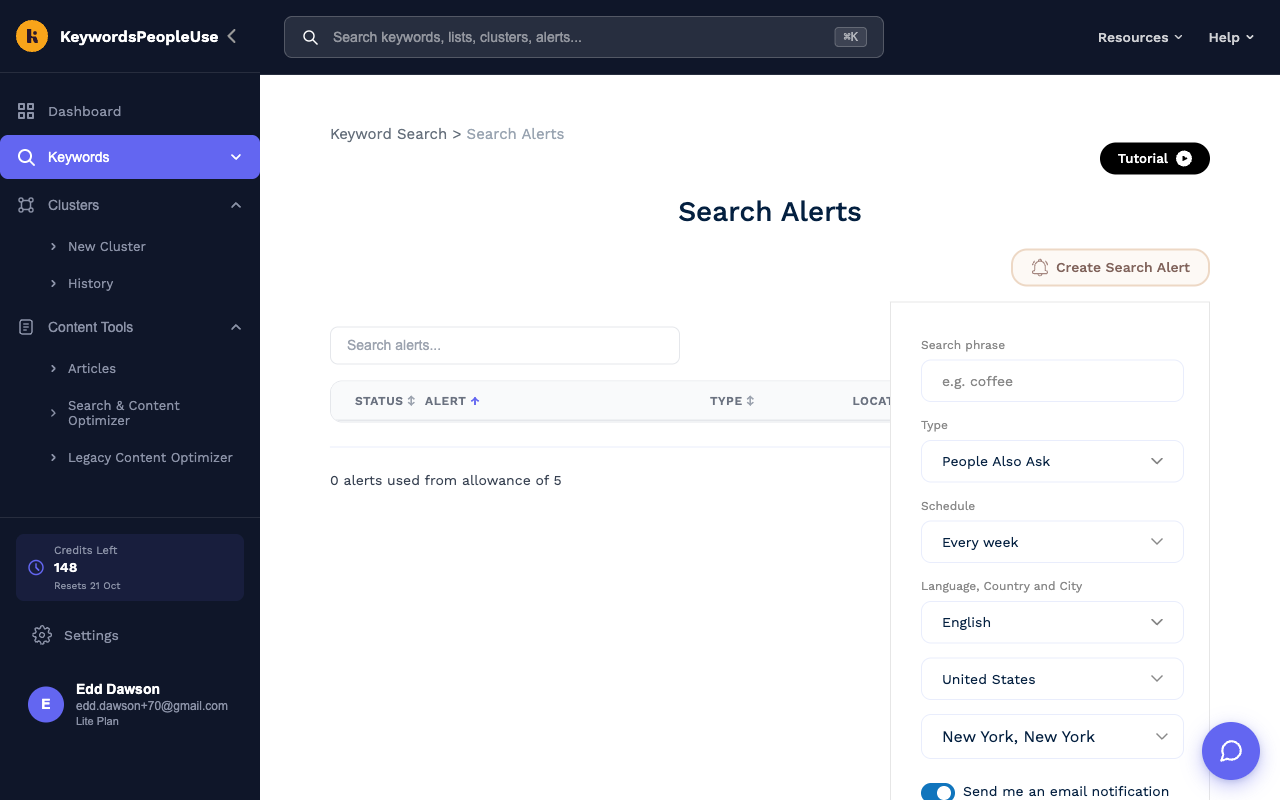
Open Keywords › Alerts in the sidebar, or click New Alert on the Dashboard, then click Create Search Alert. Here you fill in everything yourself: the Search phrase, the Type, the Schedule, the Language, Country and City, and the email toggle. Click Save.
Managing alerts
The Alerts page lists every alert with its type, location and frequency.
- The Status switch pauses or resumes an alert without deleting it.
- The gear icon under Actions changes the schedule and email setting.
- The bin icon deletes the alert and its history.
- The line at the bottom shows how many of your plan's alerts you have used.
What happens when an alert runs
Each run costs 1 credit from your monthly allowance, or from Pay As You Go credits if the monthly ones are used up. If you have no credits left the alert is paused and we email you to say so; turn it back on from the Alerts page once your credits have reset.
After each run we compare the result with the previous run. If there is anything new you get an email with the subject "Search Alert: {phrase} ({language}-{country}, {type})" summarising how many new results were found and linking to the run. If nothing changed, no email is sent.
Viewing alert history
Click an alert's name to see every run it has made. From there:
- Download Unique exports every distinct question or keyword the alert has ever found.
- Click a run to compare it with any earlier run. New items are highlighted, and items that have disappeared are marked. Download New exports just the additions.
Limits
| Plan | Alerts |
|---|---|
| Lite | 5 |
| Standard | 15 |
| Pro | 30 |
| Unlimited | 50 |
You cannot create two alerts for the same phrase, type and location; you will see "Search alert already exists".