
Managing your subscription
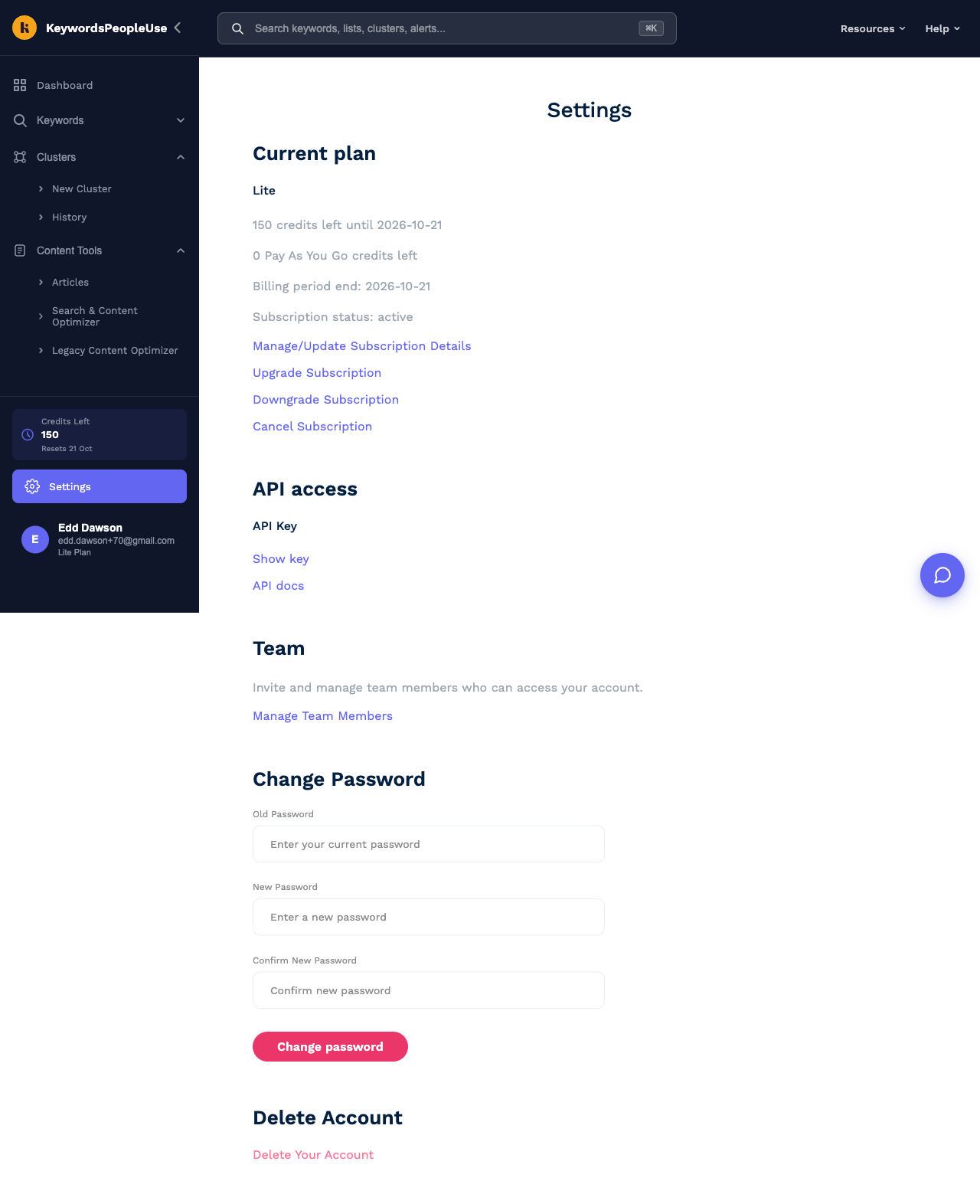
Everything about your subscription is managed from the Current plan section at the top of Settings. Payments are handled by Stripe, and most changes open Stripe's secure billing portal in a new tab.
Upgrading
Click Upgrade Subscription. This opens the pricing page with your current plan marked Current plan and bigger plans marked Upgrade. Pick one. If you already have an active subscription you will be taken to the billing portal to confirm the change, which takes effect immediately and is pro-rated, so you only pay the difference for the rest of the current period. Your new credit allowance is available straight away.
Downgrading
Click Downgrade Subscription to open the billing portal and choose a smaller plan. The change applies from your next billing date, so you keep the credits you have paid for until then. If the new plan has fewer lists or alerts than you currently use, the extras are kept but you will not be able to add more until you are under the limit.
Switching between monthly and yearly
Open Manage/Update Subscription Details and choose the yearly version of your plan in the billing portal. Yearly billing gives you two months free.
Updating your card or billing details
Open Manage/Update Subscription Details. In the billing portal you can add or replace a payment method, change the billing name and address that appear on invoices, and add a VAT number.
Invoices and receipts
Stripe emails a receipt for every payment. For a full history, open Manage/Update Subscription Details and scroll to Invoice history, where each invoice can be viewed or downloaded as a PDF.
Cancelling
- Go to Settings and click Cancel Subscription.
- We will show you a quick offer of 50% off for two months if there is something we can help with. If you would rather just cancel, click Cancel Subscription again.
- Your plan stays active until the end of the period you have paid for, then stops. You are not charged again.
After cancelling, your account remains and your searches, lists and alerts stay in it according to your plan's history limits. You can resubscribe at any time from the pricing page. If you want the account and its data removed as well, see How do I delete my account?
Refunds
Every plan comes with a 30-day money-back guarantee. If KeywordsPeopleUse is not right for you, email team@keywordspeopleuse.com within 30 days of your first payment and we will refund it.
Payment failed?
If a payment fails, Stripe retries it over the following days and emails you. Update your card via Manage/Update Subscription Details and the next retry will succeed. If the payment keeps failing the subscription is paused until it is paid.