
Image Export
Every search produces a visual map of the questions or keywords it found, and you can download that map as a PNG image with one click. It is a popular way to drop research into a slide deck, a brief or a client report.
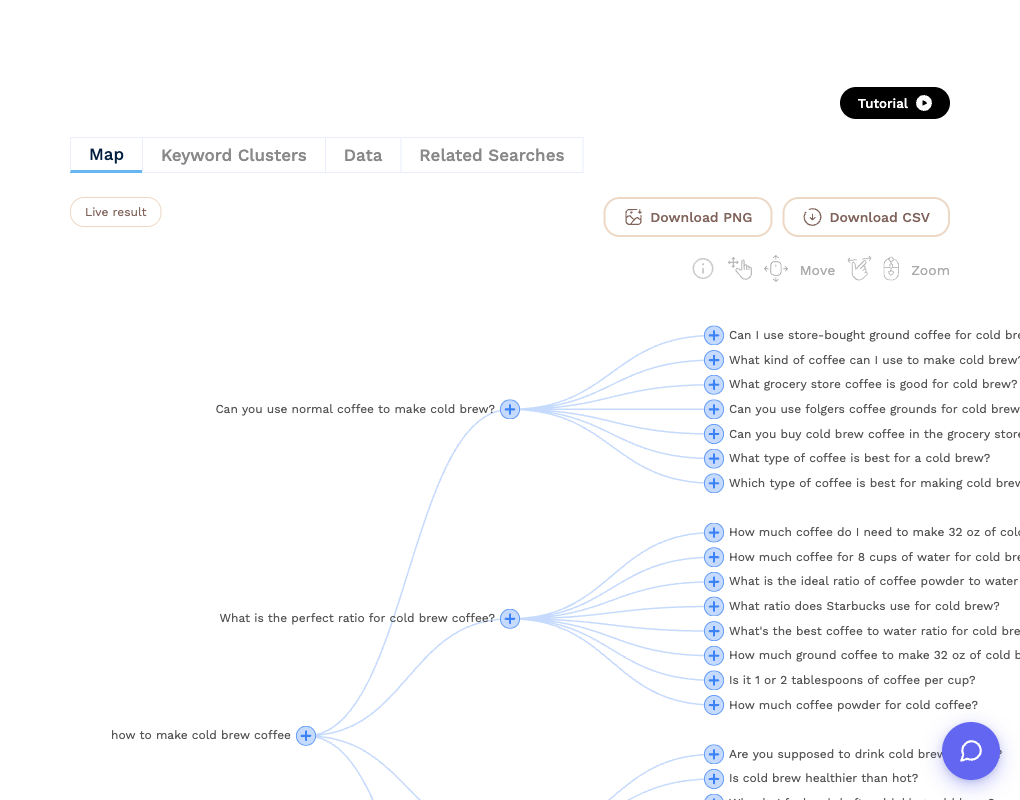
How to export
- Open the Map tab of any result.
- Click Download PNG.
The image is generated from the whole map, not just the part on screen, so zoom and scroll position do not matter. It carries a small "Created by KeywordsPeopleUse.com" credit along the bottom.
Image export is free, does not use a credit, and is available on every plan, including to visitors trying the tool without an account.
Getting a cleaner image
- For very large results such as a Deep Search, the image can be tall. If you only need one branch, click + on that question to run a search for it alone and export that instead.
- The map's text size is fixed, so the exported image is always legible however many nodes it has.
- If you need the underlying data rather than a picture, use CSV export.